
In shared usage, if other users are running jobs, you may experience a “waiting time” before your job starts.
The execution order is determined and managed by software called a scheduler, which makes decisions based on requested resources and various limits. For this reason, it is difficult for users to directly control the order. However, you may be able to reduce the waiting time by adjusting your program’s workload and the amount of resources requested in your job script.
The methods are explained below.
1. Check the current usage status
-
There are several ways to check the usage status of other users (including yourself). If you would like to visually confirm the status including the future schedule, the following web pages are available.
OCTOPUS Usage Status SQUID Usage Status
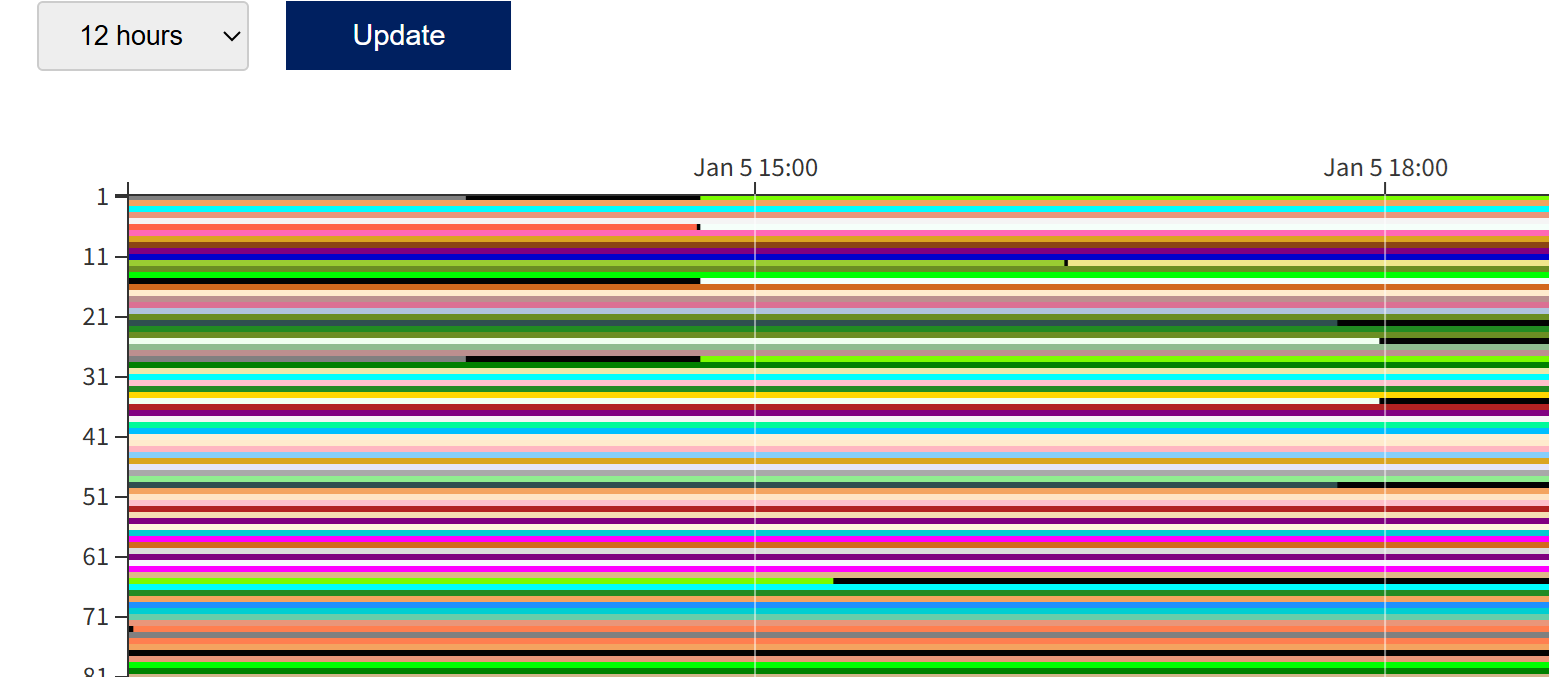
The image below is the SQUID usage status page.
Colored bars indicate compute nodes that are in use / scheduled, and black bars indicate compute nodes that are available or stopped.
Depending on the system status, compute nodes may become available within the next few hours.
In the example below, it shows that there is a “gap time” of a few hours on one node in the SQUID general-purpose CPU node group until 15:00.
By adjusting the elapsed time (elapstim_req) to fit into such a “gap time” and submitting the job, your job may start immediately without waiting.
2. Adjust the job size and requested resources
-
The following example is a job script to run a 24-hour computation on the SQUID general-purpose CPU node group.
If you submit it as-is with qsub, it will not fit into the “gap time” above, and you will likely need to wait before the job starts.
#!/bin/bash
#PBS -q SQUID
#PBS -l elapstim_req=24:00:00
#PBS --group=GROUPNAME
cd $PBS_O_WORKDIR
./a.out
In such cases, first check whether there is a discrepancy between the actual runtime of your program and the “elapstim_req” specified in your job script. The scheduler reserves compute nodes based on the “elapstim_req” value. If you specify a long time, the job may not fit into available “gap times” and may be scheduled later, which can significantly increase the waiting time.
In this example, if your program typically finishes in around 3 hours, you should modify elapstim_req to 4 hours. Even if your program actually requires about 24 hours, if it is possible to reduce the problem size, split it into multiple jobs, or stop and resume the computation, you can change parameters so that each run finishes within 5 hours and run it multiple times. In many cases, this results in an earlier completion overall.
Note: your job will be forcibly terminated when the runtime reaches the time specified by elapstim_req, so make sure to set elapstim_req with some margin above the actual runtime. If you cannot estimate the runtime, set a longer value first, run the job several times to understand the approximate runtime, and then gradually shorten the elapstim_req setting.
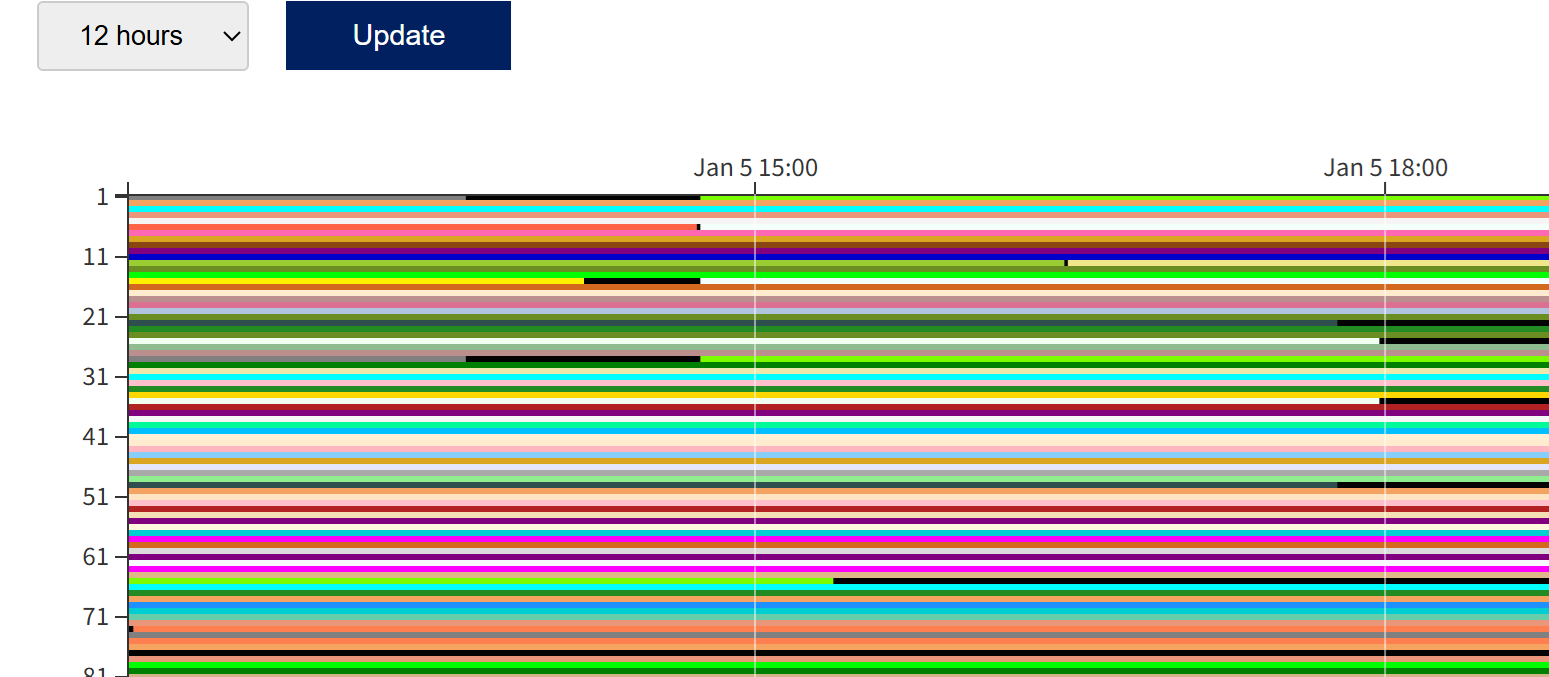
This time, we modified the elapstim_req value so that the job finishes within 4 hours.
#!/bin/bash
#PBS -q SQUID
#PBS -l elapstim_req=4:00:00
#PBS --group=GROUPNAME
cd $PBS_O_WORKDIR
./a.out
The job was successfully executed on an “available” node.
Also, when running short jobs such as for testing, please use the “DBG” job class specified by the #PBS -q option. The DBG queue is a short-job class with a maximum elapstim_req of 10 minutes; because jobs complete quickly, the waiting time is often shorter than in normal queues. Below is an example job script for the DBG queue.
#!/bin/bash
#PBS -q DBG
#PBS -l elapstim_req=10:00
cd $PBS_O_WORKDIR
./a.out
Notes
-
The usage status web page is not real-time; it is updated once every 5 minutes. Also, when maintenance is being performed on compute nodes, they may temporarily appear as “available” nodes.
Please note in advance that your job may not always run on the node you expected.
As described above, shortening the elapstim_req setting may reduce the waiting time. However, if the runtime exceeds elapstim_req, the job will be forcibly terminated at that point, so please be careful.
If you really need to run sooner: Use the high-priority queue
-
OCTOPUS and SQUID provide high-priority queues.
By specifying
SQUID-H (for SQUID) or OCT-H (for OCTOPUS) with the -q option in your job script, the job will be treated as a high-priority job.Jobs submitted to the high-priority queue are more likely to be selected as the next job to run when the system is congested and execution wait queues are formed, which can help reduce waiting time.
However, high-priority jobs do not preempt jobs whose scheduled start times have already been determined.
Please note that the high-priority queue has a higher consumption coefficient than the normal queue, and therefore consumes more points when executed.
For details on the point system, including consumption coefficients for both normal and high-priority queues, please refer to the following page.
About the Point System
